Skip to main content Skip to content

ShareRing Solutions is live: identity checks for accountants, real estate agents and bookmakers.

Explore ShareRing Solutions (opens in a new tab)

New inShareRing Me

ShareProtect

The camera for anything you might have to prove

Seal a photo the moment you take it. Anyone can check it later, no account needed.

GetShareRing Me

Open the app. Take the photo. Seal it on ShareLedger. Compare it later.
How it works

From the first photo to someone else checking it.

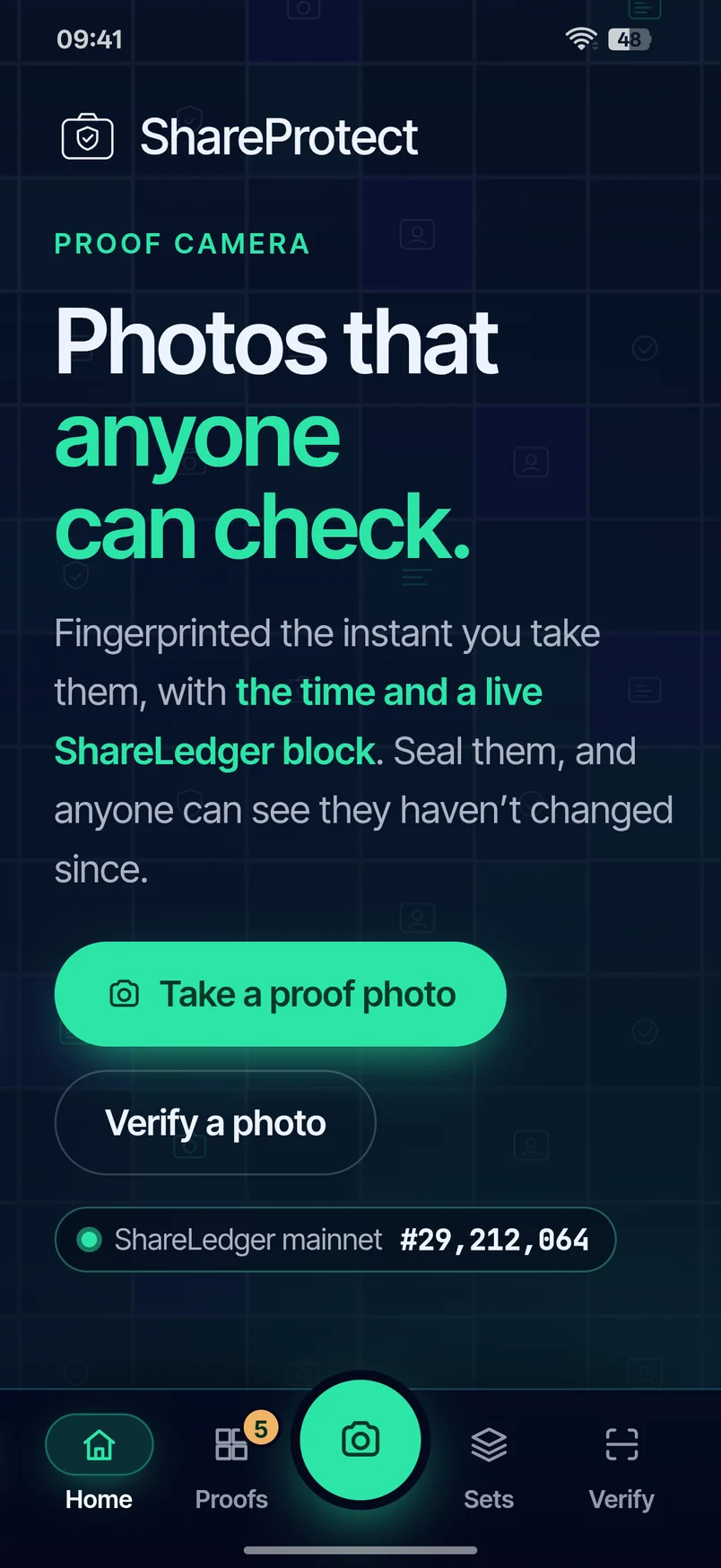
The ShareProtect home screen in ShareRing Me: Photos that anyone can check, with Take a proof photo.
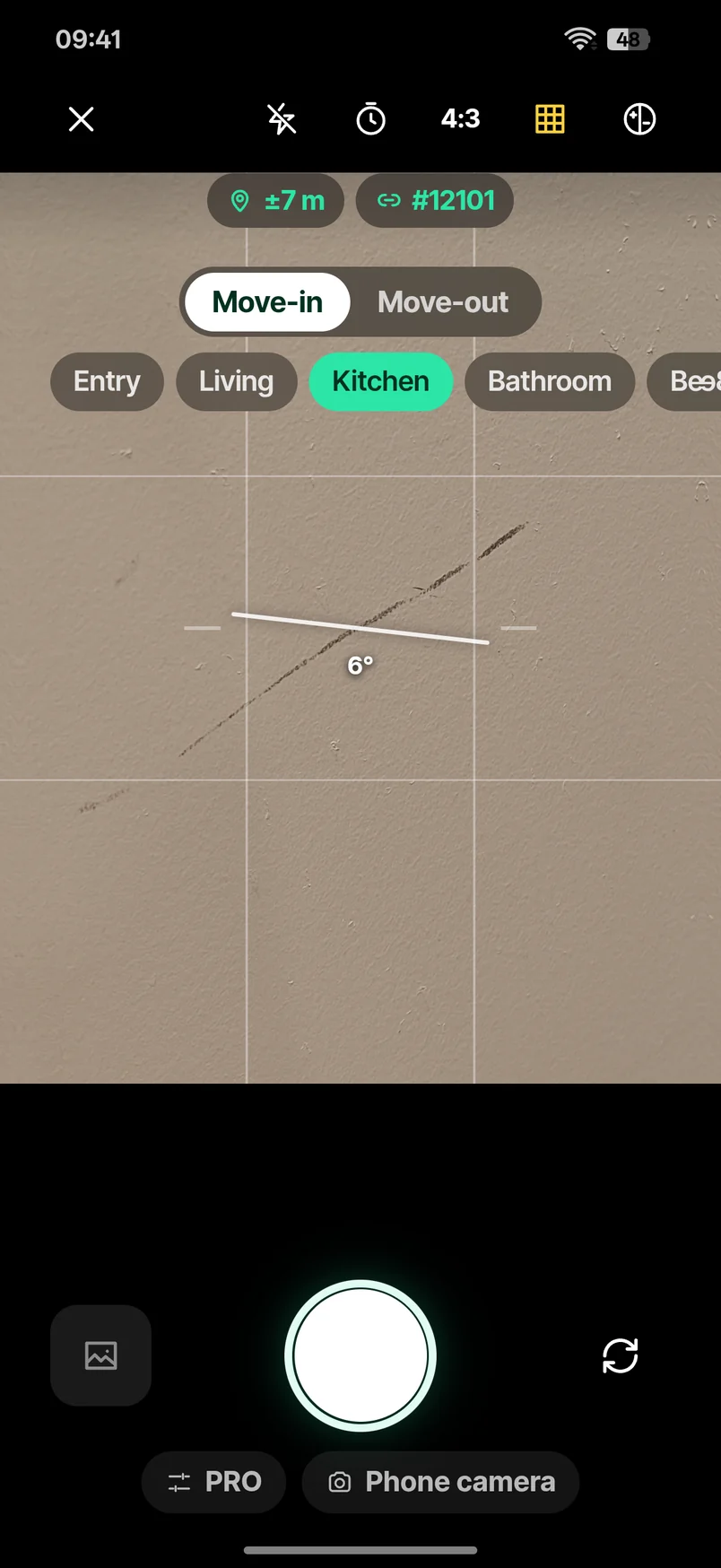
  1. The ShareProtect camera on Move-in, Kitchen chosen, a marked wall in the viewfinder.

    3 Shoot Choose Move-in and the room, then shoot.
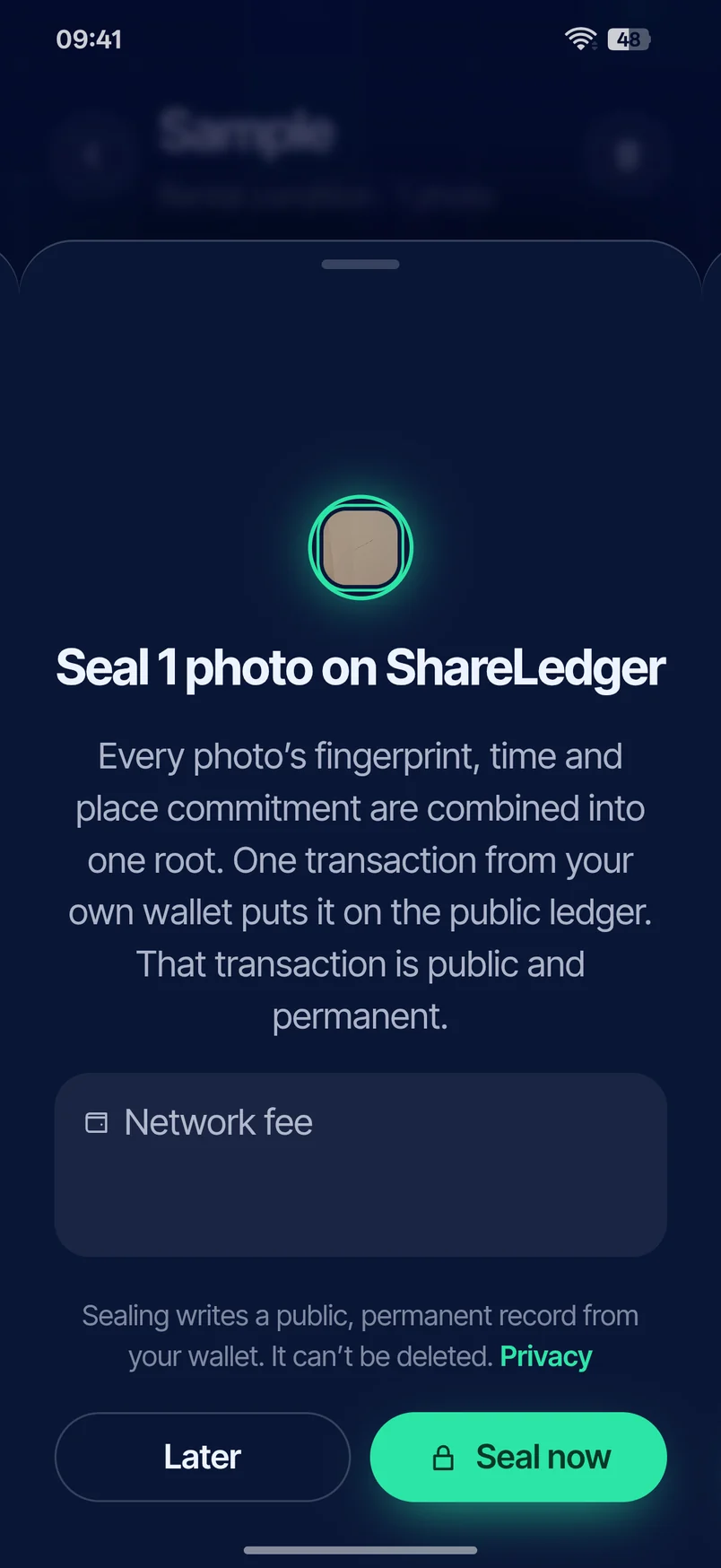
  2. ShareProtect asking to seal 1 photo on ShareLedger, with Later and Seal now.

    5 Seal Enter your PIN to seal the whole set at once.
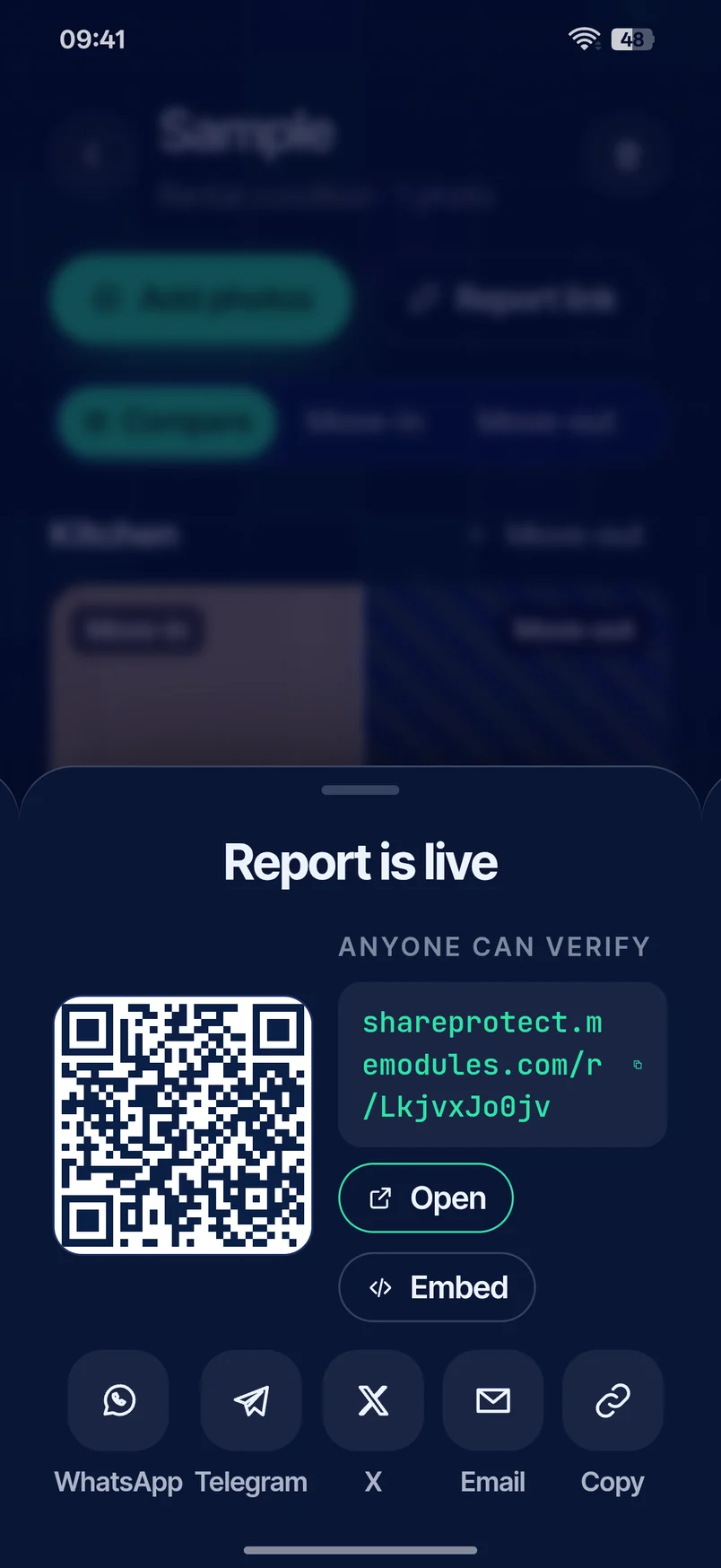
  3. ShareProtect in ShareRing Me: Report is live, with the QR code and the link anyone can open to check it.

    8 Send Send one link, or the QR code.
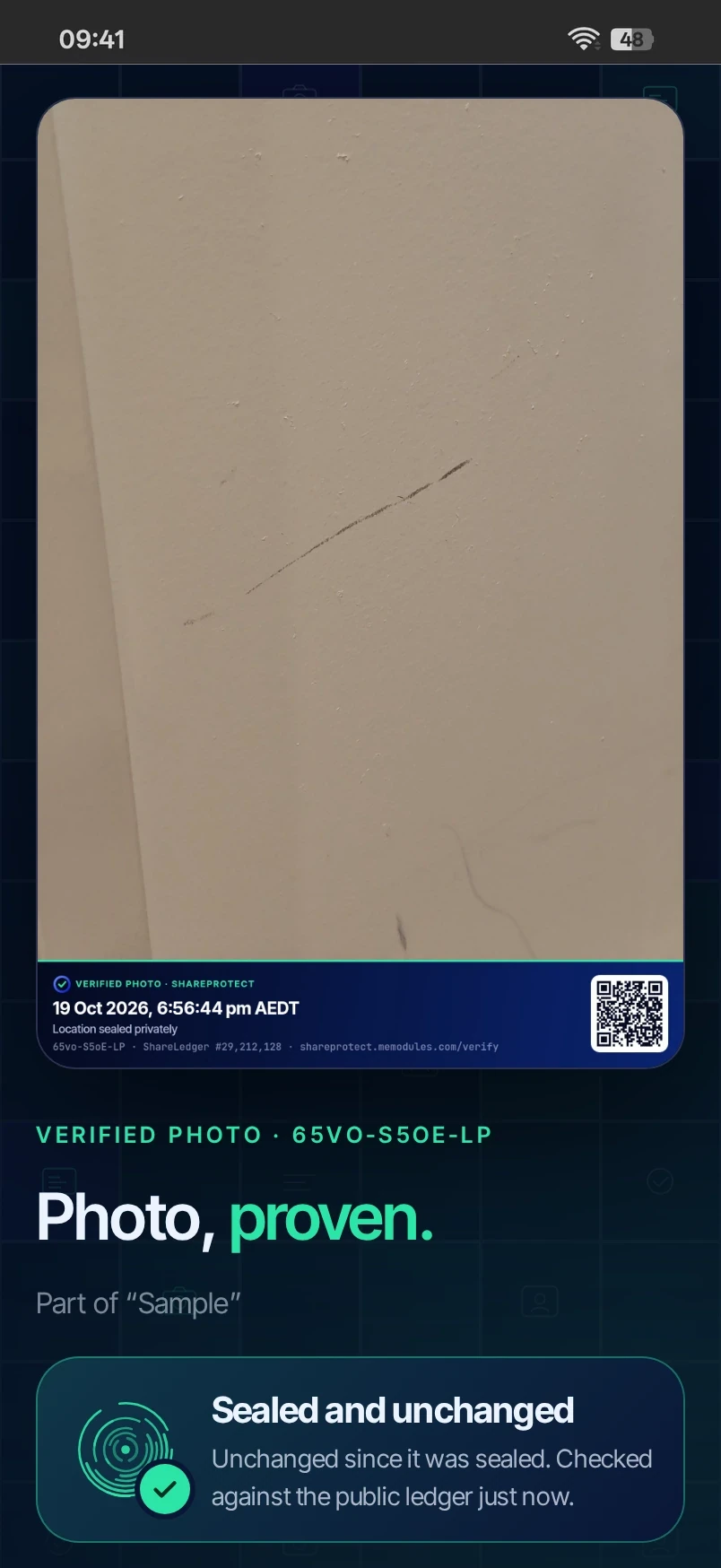
  4. The sealed photo checked in a browser: the photo with its proof band, QR code and verify link, then Photo, proven, and Sealed and unchanged, checked against the public ledger just now.

    9 Check They open it in any browser. No account, no app.

Moving out

They say you marked the wall.

You photographed that wall the day you moved in, and sealed it then. The mark was already there, and the record says so.
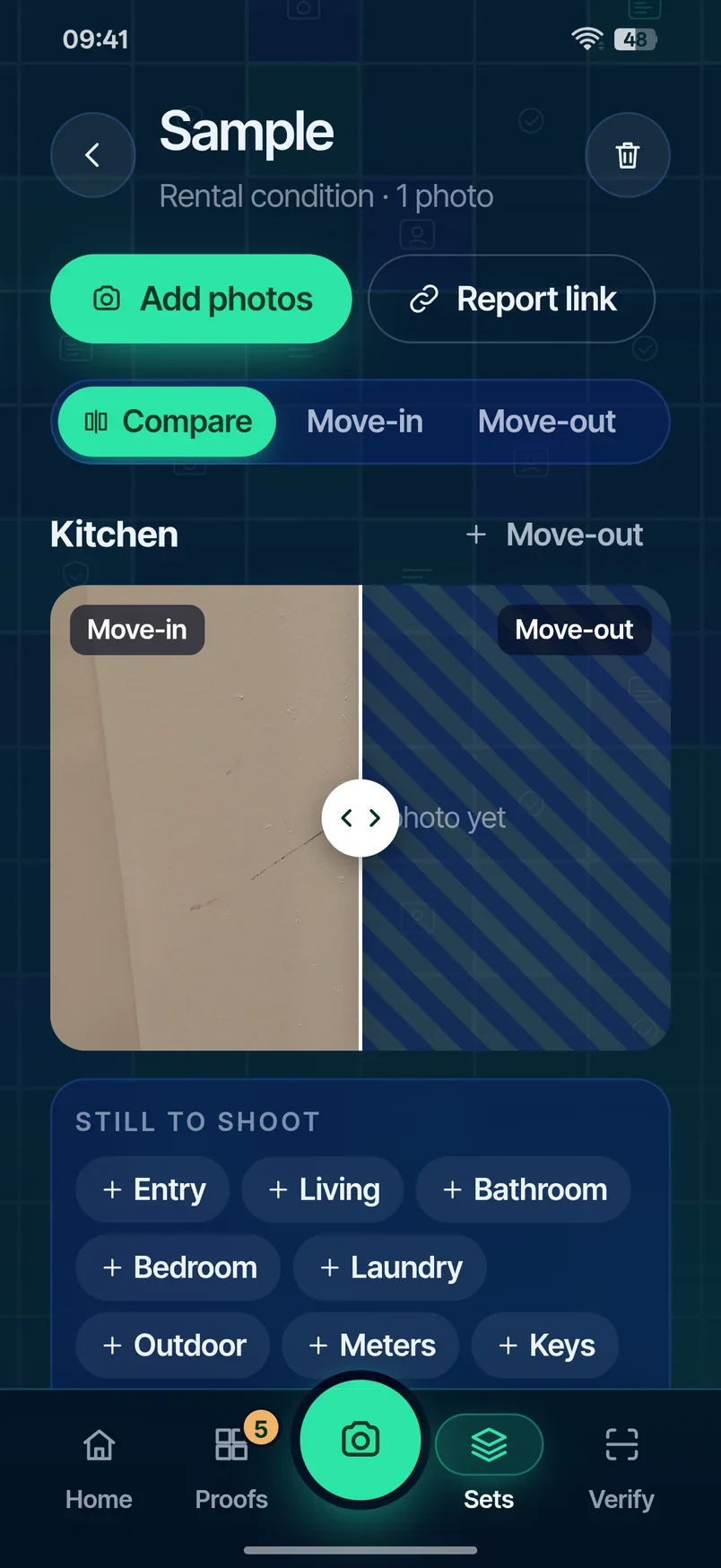
The Sample set at move-out: the Kitchen move-in photo, with Move-out still to add.
  1. The Sample set at move-out: the Kitchen move-in photo, with Move-out still to add.

    1 Reopen Months later. The same set, now on Move-out.
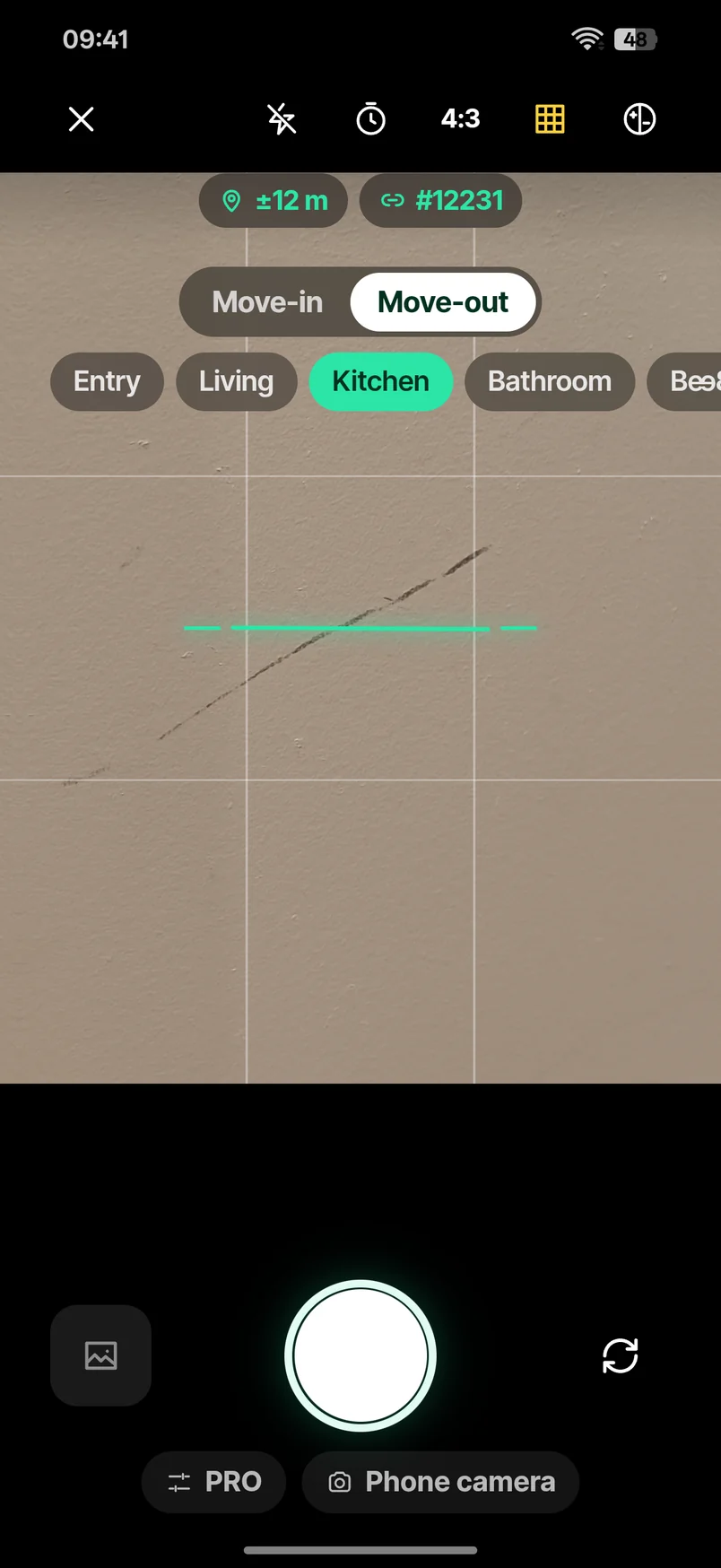
  2. The ShareProtect camera on Move-out, Kitchen chosen, the marked wall back in the viewfinder with the level line across it.

    2 Shoot The same wall, photographed again.
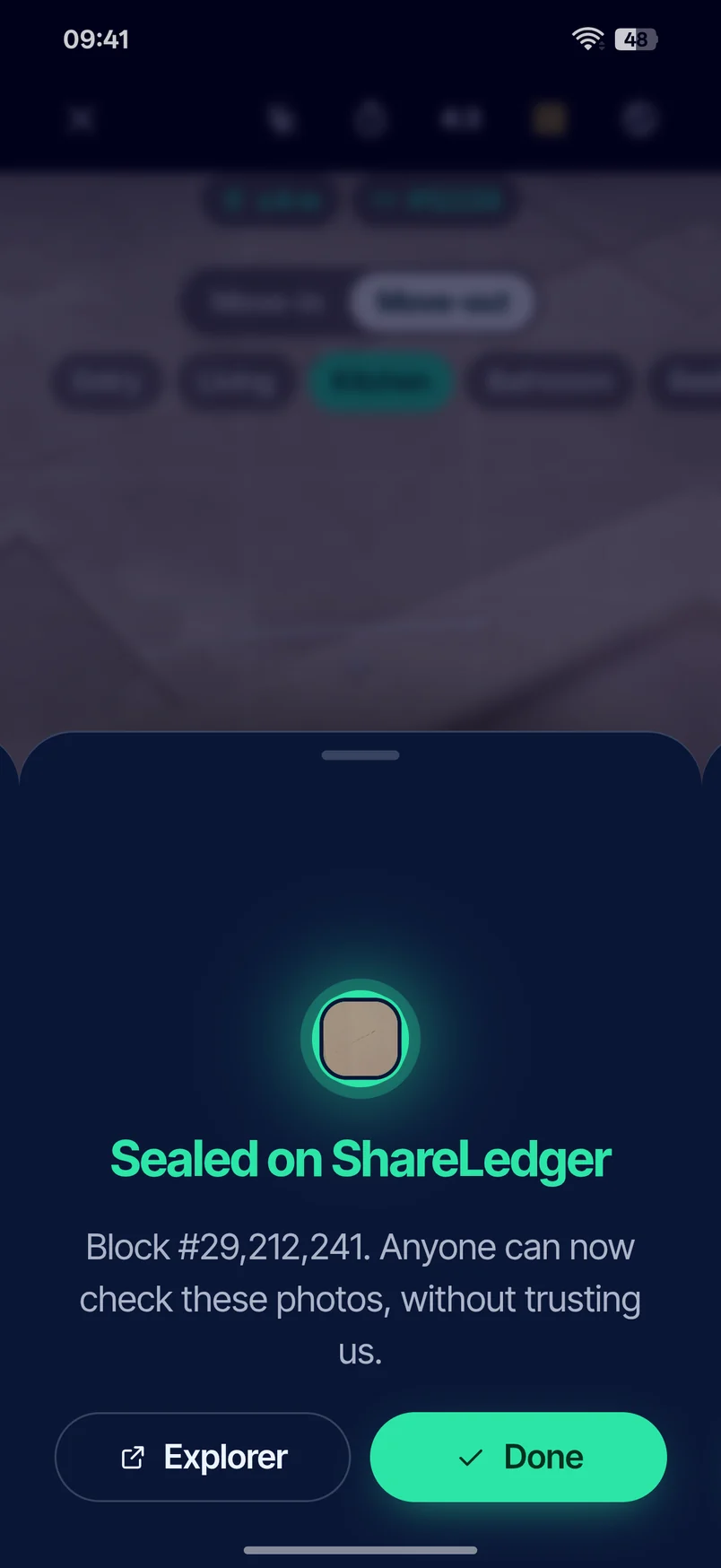
  3. ShareProtect at move-out: Sealed on ShareLedger, the block number under it, with Explorer and Done.

    3 Seal Sealed on ShareLedger, same as the first.
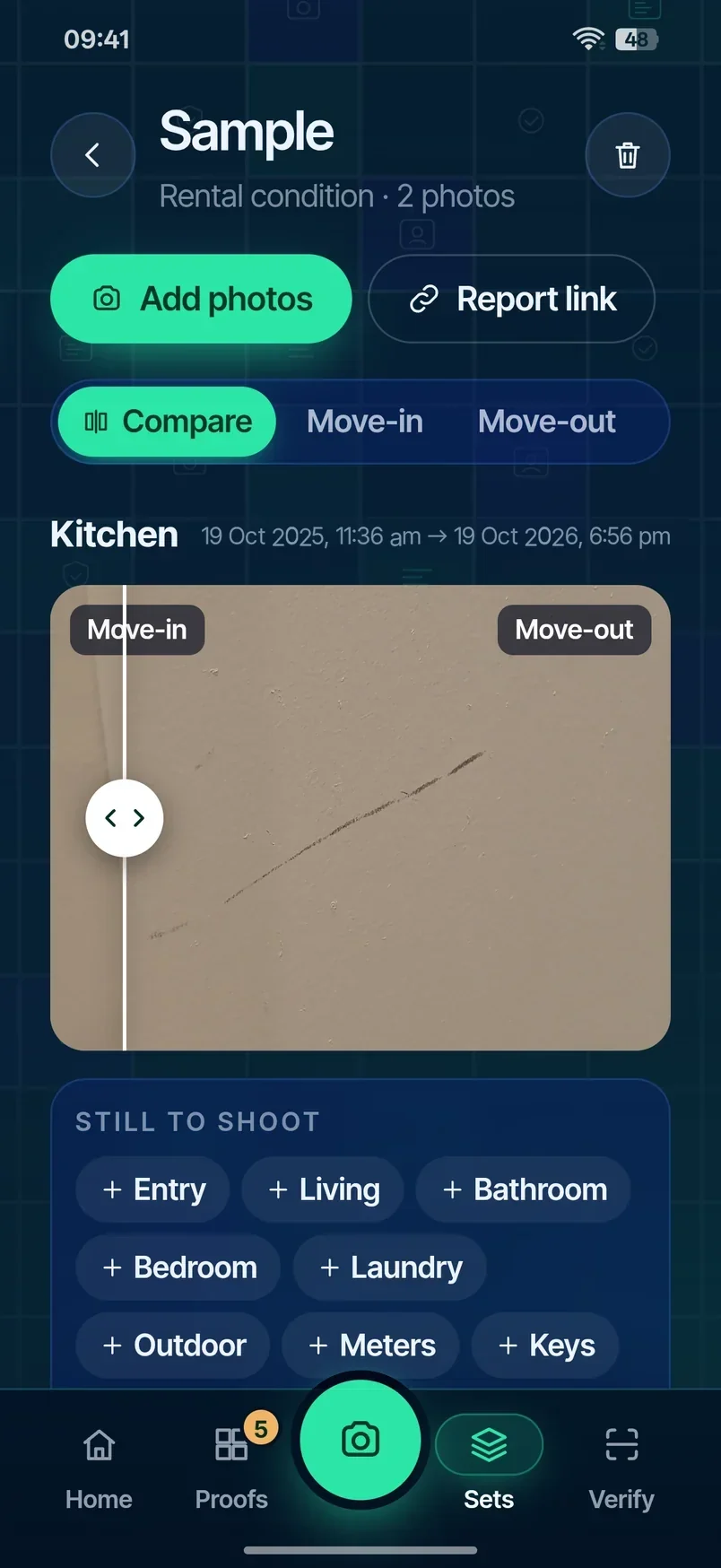
  4. ShareProtect Compare in ShareRing Me: the Kitchen move-in and move-out photos side by side, with both times.

    4 Compare Both photos, side by side, with both times.

Move out with proof, not hope.

Compare: move-in and move-out, side by side.
Sending the proof

The proof has a page of its own.

Send the link in a message or an email, or hold up the QR code and let them scan it.

ShareProtect in ShareRing Me: Report is live, with the QR code and the link anyone can open to check it.

Checking takes one link.

Open the link or scan the QR on the proof. The page checks the photo against ShareLedger in the visitor's own browser.
The sealed photo checked in a browser: the photo with its proof band, QR code and verify link, then Photo, proven, and Sealed and unchanged, checked against the public ledger just now.
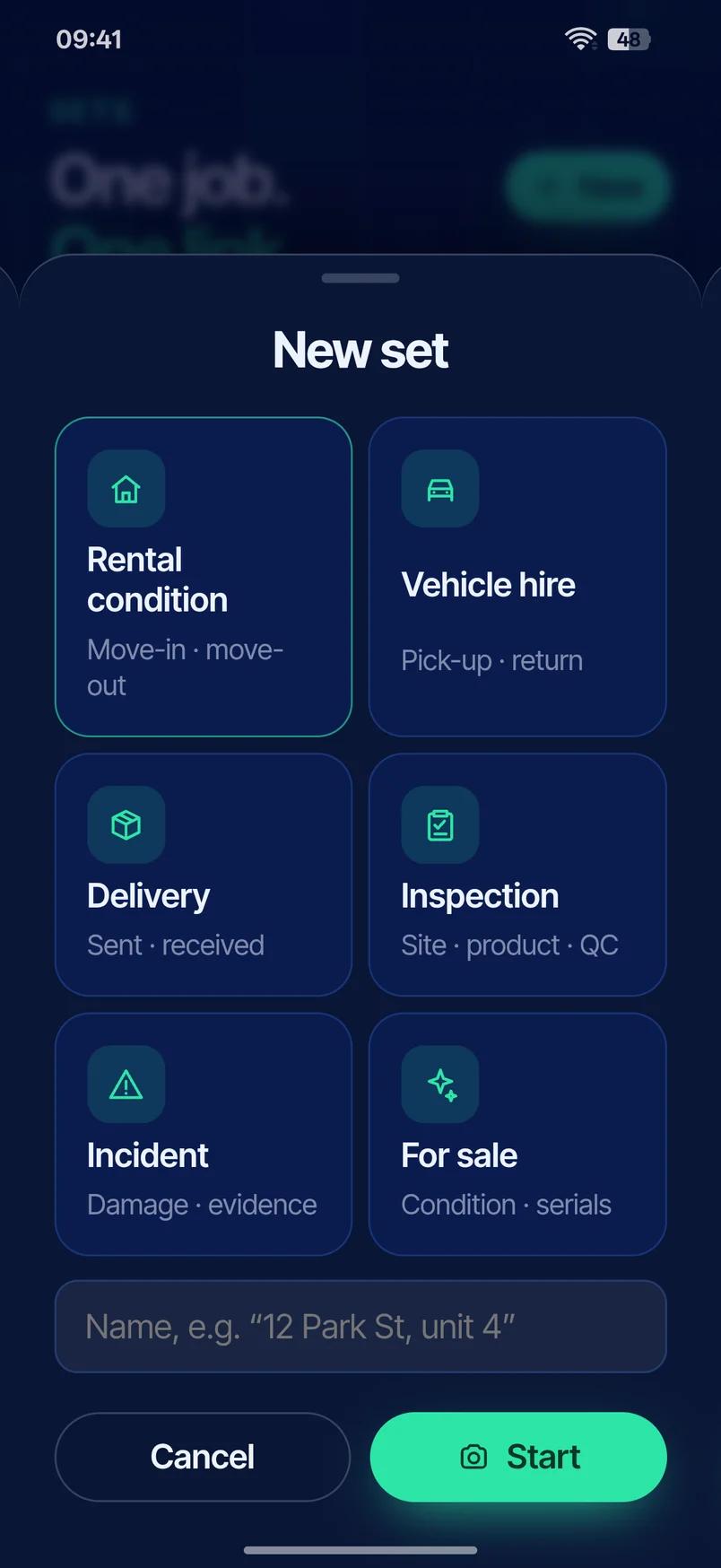
ShareProtect New set: the templates Rental condition, Vehicle hire, Delivery, Inspection, Incident and For sale.

A template for the job you're doing.

  • Rental condition Photograph every room at move-in and again at move-out.
  • Vehicle hire Pick-up and drop-off, every panel.
  • Delivery The parcel, the door, the condition it arrived in.
  • Inspection Site visits, sealed as you go.
  • Incident Leaks, dents and accidents, recorded on the day.
  • For sale Show buyers exactly what they're getting.
Your customers send photos. Your team checks them.

Put it on your own site.

Add the embed script to any website, so customers and staff can check sealed photos where they already work.

  • Your customerTakes the photos in ShareRing Me, from the template for the job, and sends one link.
  • Your teamOpens the link. The check runs in their own browser, and nobody needs an account.
  • Your websiteCarries the same check on your own pages, so neither of them leaves the site they are on.
Talk to us

What a sealed photo tells you.

  • It shows: the photo hasn't changed since it was sealed, and a time window set by ShareLedger, from the block recorded when the photo was taken to the block that sealed it.
  • It doesn't show: that the phone's clock was right to the minute, that the location is true, or who took the photo.

A ShareProtect seal shows a photo hasn't changed since it was sealed, and gives a time window from ShareLedger. The time inside that window comes from the phone's clock. Location is what the phone reported. It doesn't show who took the photo or that the scene is what it seems. Courts, tribunals and insurers decide what evidence they accept.

Frequently asked

Do I need an app?
You take photos in ShareRing Me. Anyone checking a photo uses a browser and needs no account.
Can someone fake the time?
The time is the phone's clock. ShareLedger puts a window around it, from the block recorded when the photo was taken to the block that sealed it. That makes backdating harder. It doesn't make it impossible.
Can someone fake the location?
The location is what the phone reports. ShareProtect doesn't detect GPS spoofing.
Does ShareProtect check who I am?
No.
Who can see where I took a photo?
Nobody sees the spot unless you choose to show it. If you show the area or the exact spot, the app looks up the place name with a mapping service. Every shared proof shows a wallet address, a device code, your phone model and your time zone.
What goes on the blockchain?
A fingerprint of the set of photos, in a small transaction from your own ShareRing Me wallet. Not the photos. The transaction is public and permanent.
Does sealing cost anything?
Sealing takes a small network fee from your ShareRing Me wallet. You see it before you enter your PIN.
What about photos from my phone's own camera?
They can be accepted if they're under three minutes old. The camera inside ShareProtect is the stronger record.
Is ShareProtect part of ShareRing ID checks?
No. ShareProtect is a different product with its own data handling: sealed photos and their records are kept on ShareRing's servers so the proof links keep working.

Frequently asked

Do I need an app?
You take photos in ShareRing Me. Anyone checking a photo uses a browser and needs no account.
Can someone fake the time?
The time is the phone's clock. ShareLedger puts a window around it, from the block recorded when the photo was taken to the block that sealed it. That makes backdating harder. It doesn't make it impossible.
Can someone fake the location?
The location is what the phone reports. ShareProtect doesn't detect GPS spoofing.
Does ShareProtect check who I am?
No.
Who can see where I took a photo?
Nobody sees the spot unless you choose to show it. If you show the area or the exact spot, the app looks up the place name with a mapping service. Every shared proof shows a wallet address, a device code, your phone model and your time zone.
What goes on the blockchain?
A fingerprint of the set of photos, in a small transaction from your own ShareRing Me wallet. Not the photos. The transaction is public and permanent.
Does sealing cost anything?
Sealing takes a small network fee from your ShareRing Me wallet. You see it before you enter your PIN.
What about photos from my phone's own camera?
They can be accepted if they're under three minutes old. The camera inside ShareProtect is the stronger record.
Is ShareProtect part of ShareRing ID checks?
No. ShareProtect is a different product with its own data handling: sealed photos and their records are kept on ShareRing's servers so the proof links keep working.
ShareProtect

Got a photo dispute you'd like to win?

Find ShareProtect in ShareRing Me today.

Simplifying IT
for a complex world.
Platform partnerships
Services
Business Challenges

Digital Transformation

Security

Automation

Gaining Efficiency