How to Complete the ShareRing
Node Giveaway Quests
A step-by-step walkthrough for verifying your identity, proving your MEXC holdings, and earning rewards through the Zealy campaign.
In This Guide
1. Verify Your Identity with ShareRing Me
This is the gateway quest — you must complete it before any other quests unlock. It verifies your KYC status and links your ShareLedger wallet in a single step, without exposing any personal data.
Make sure ShareRing Me is set up
Before you begin, make sure you have the ShareRing Me app installed on your phone and that you have completed KYC verification inside the app. If you haven't done this yet, open ShareRing Me and follow the in-app prompts to verify your identity.
Open the "Verify with ShareRing" quest on Zealy
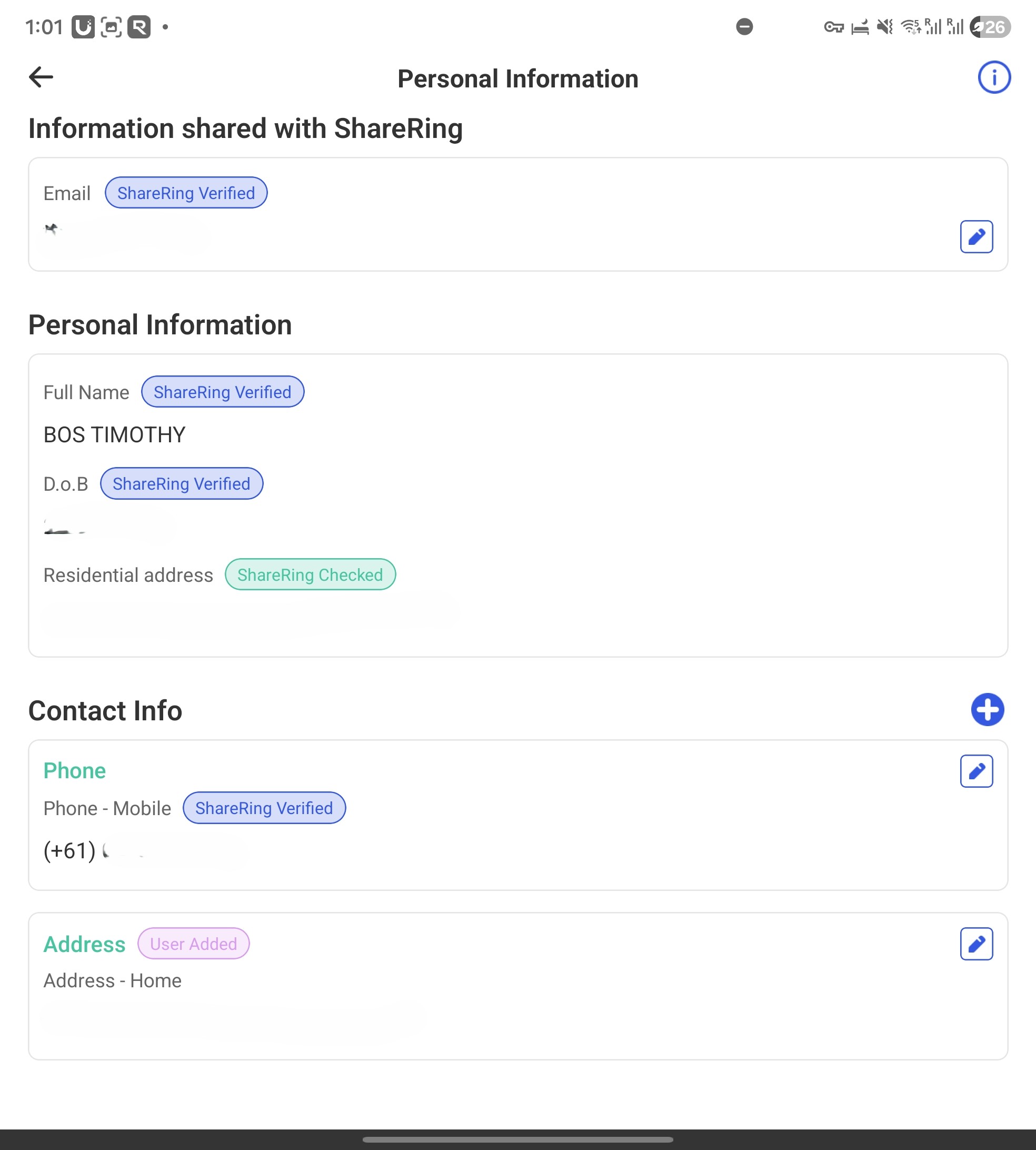
Go to the ShareRing campaign on Zealy and find the Verify with ShareRing quest under the Onboarding category. Click "Claim" to begin.
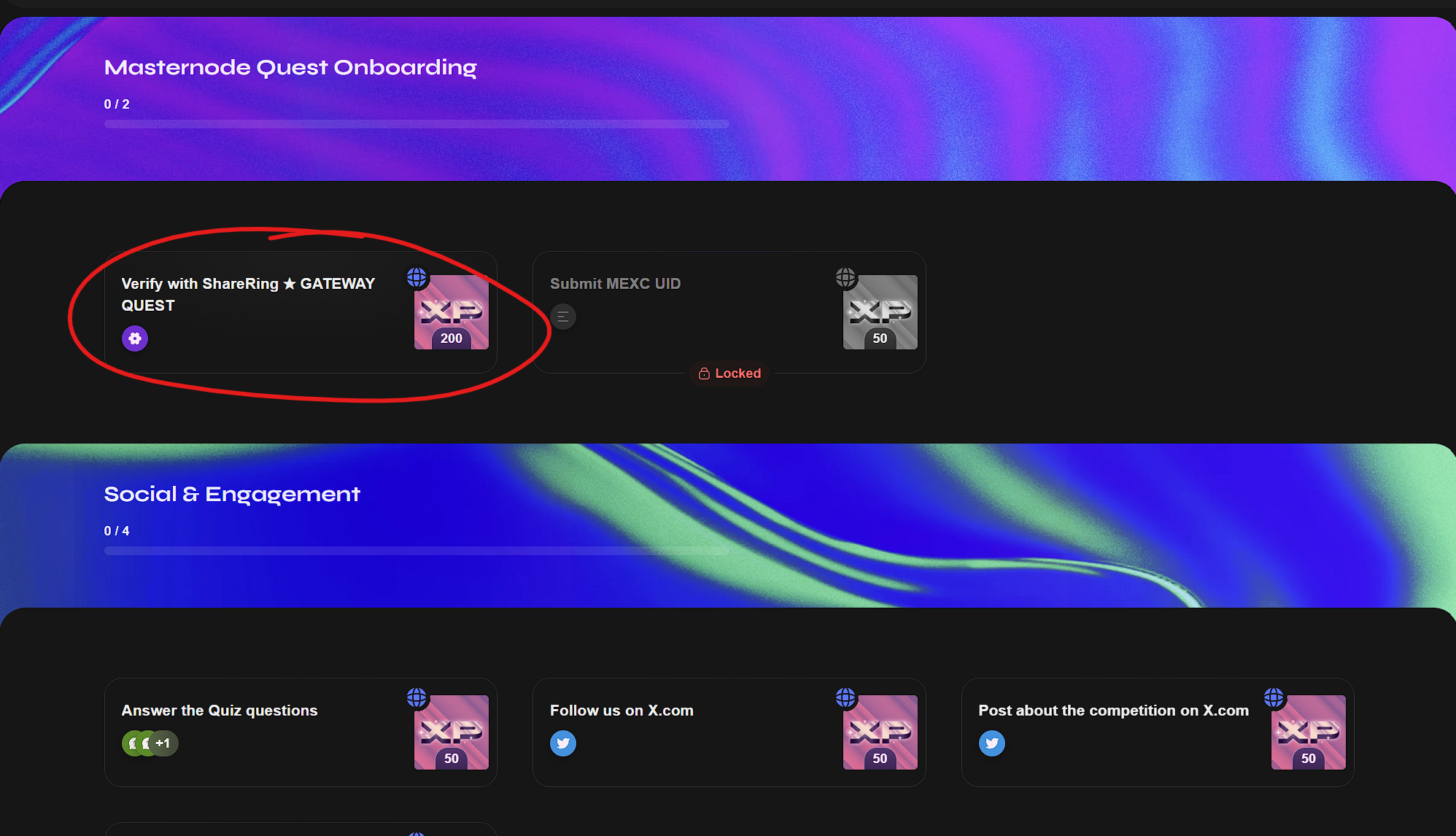
You'll be redirected to a ShareRing verification page that shows a QR code.
Scan the QR code with ShareRing Me
Open the ShareRing Me app on your phone and tap the QR scanner icon. Point your phone at the QR code displayed on the verification page.
Approve the verification request
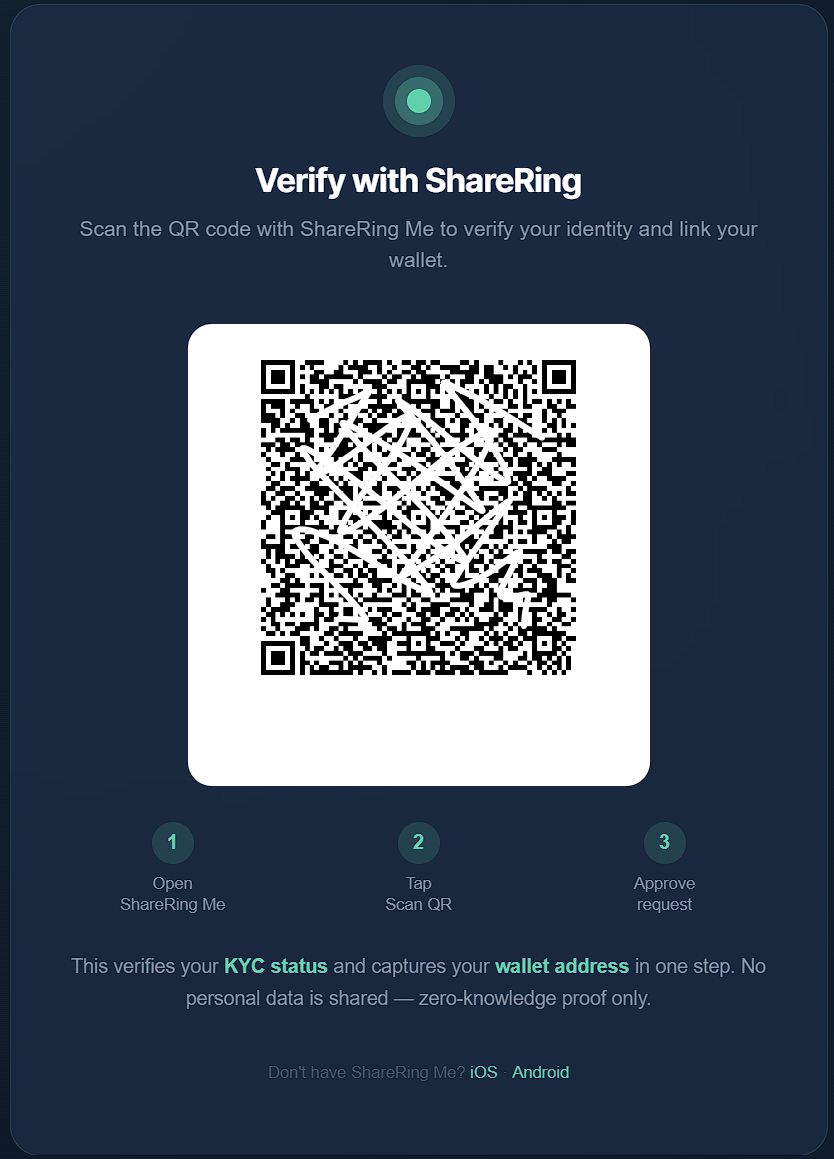
After scanning, ShareRing Me will show you a request asking to share your KYC verification status and ShareLedger wallet address. Review the request and tap "Approve".
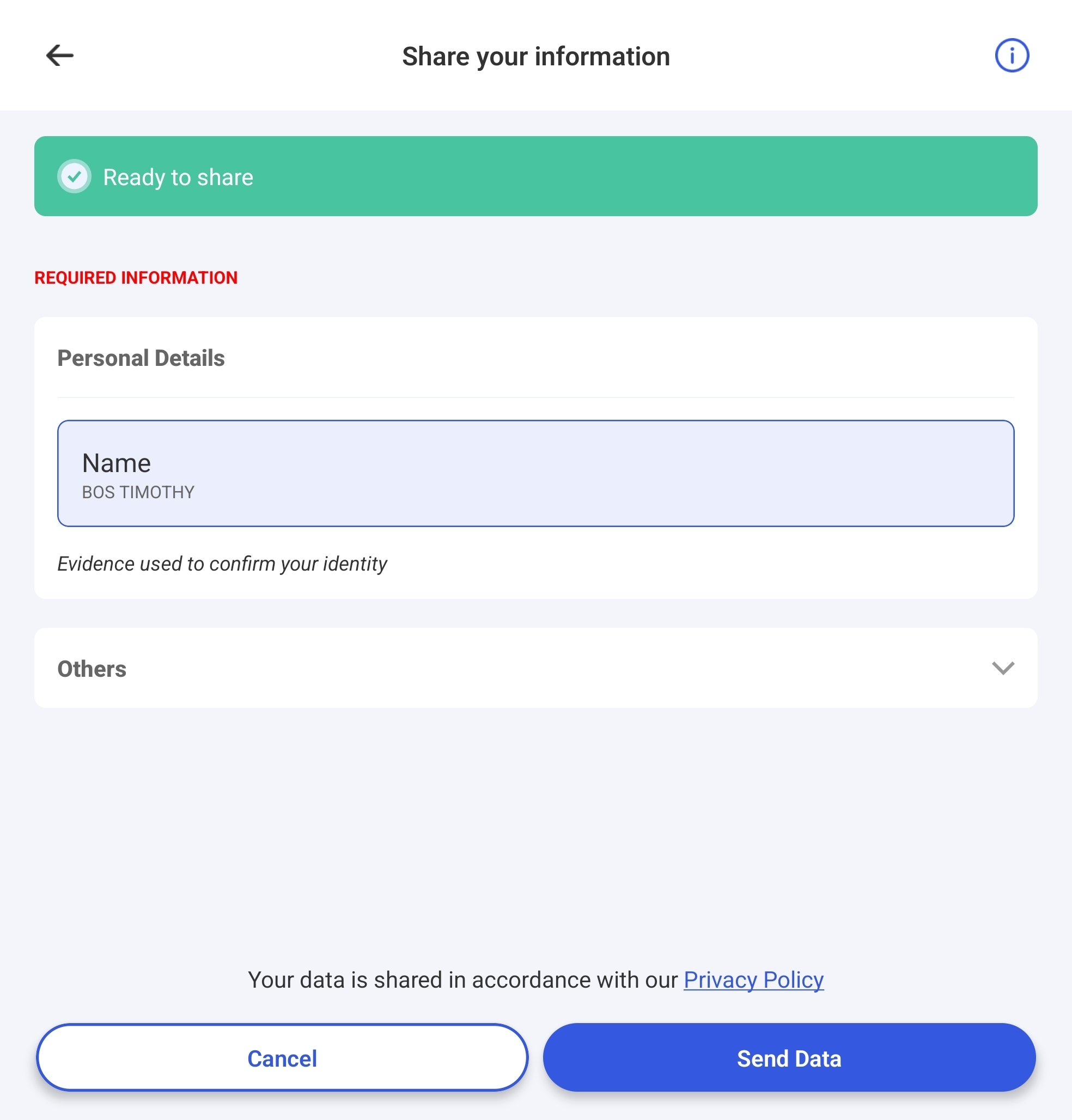
Wait for confirmation
The verification page will update to show a success message. You'll be automatically redirected back to Zealy, where the quest will be marked as complete. All other quests will now be unlocked.
2. Submit Your MEXC UID
Your MEXC UID is a unique number that identifies your MEXC account. We need this to verify your SHR holdings on the exchange.
Find your MEXC UID
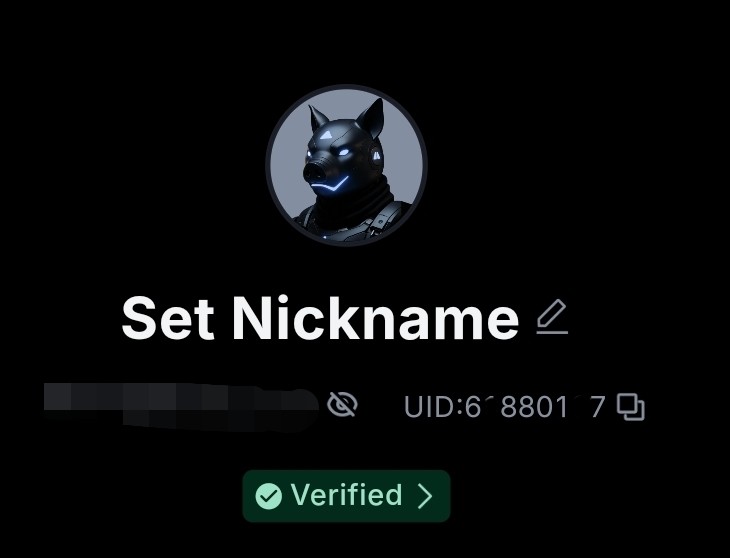
Log in to your MEXC account (app or website). Navigate to your Profile or Account page. Your UID is displayed near the top of the page — it's a numeric ID like 12345678.
On the MEXC app, tap your profile icon in the top-left corner. Your UID is shown directly below your email.
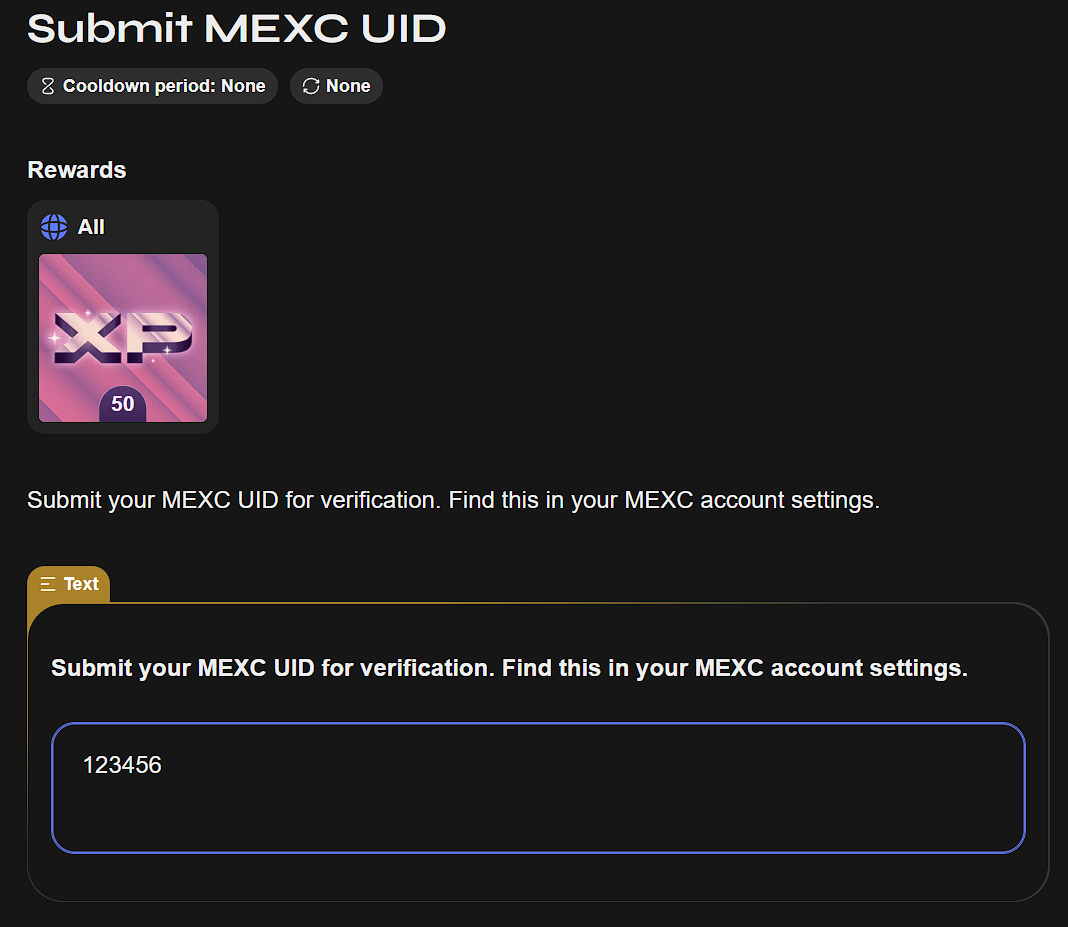
Paste your UID into the Zealy quest
On Zealy, open the Submit MEXC UID quest and paste your UID into the text field. Double-check it's correct before submitting — an incorrect UID may result in your participation being disqualified.
3. Prove Your SHR Purchase on MEXC
You need to prove you purchased at least $5 USD worth of SHR on MEXC during the campaign period. Here's exactly what screenshot to take.
Go to your MEXC Trade History
In the MEXC app or website, navigate to Orders → Trade History (sometimes called "Order History" or "Spot History"). Filter for the SHR trading pair.
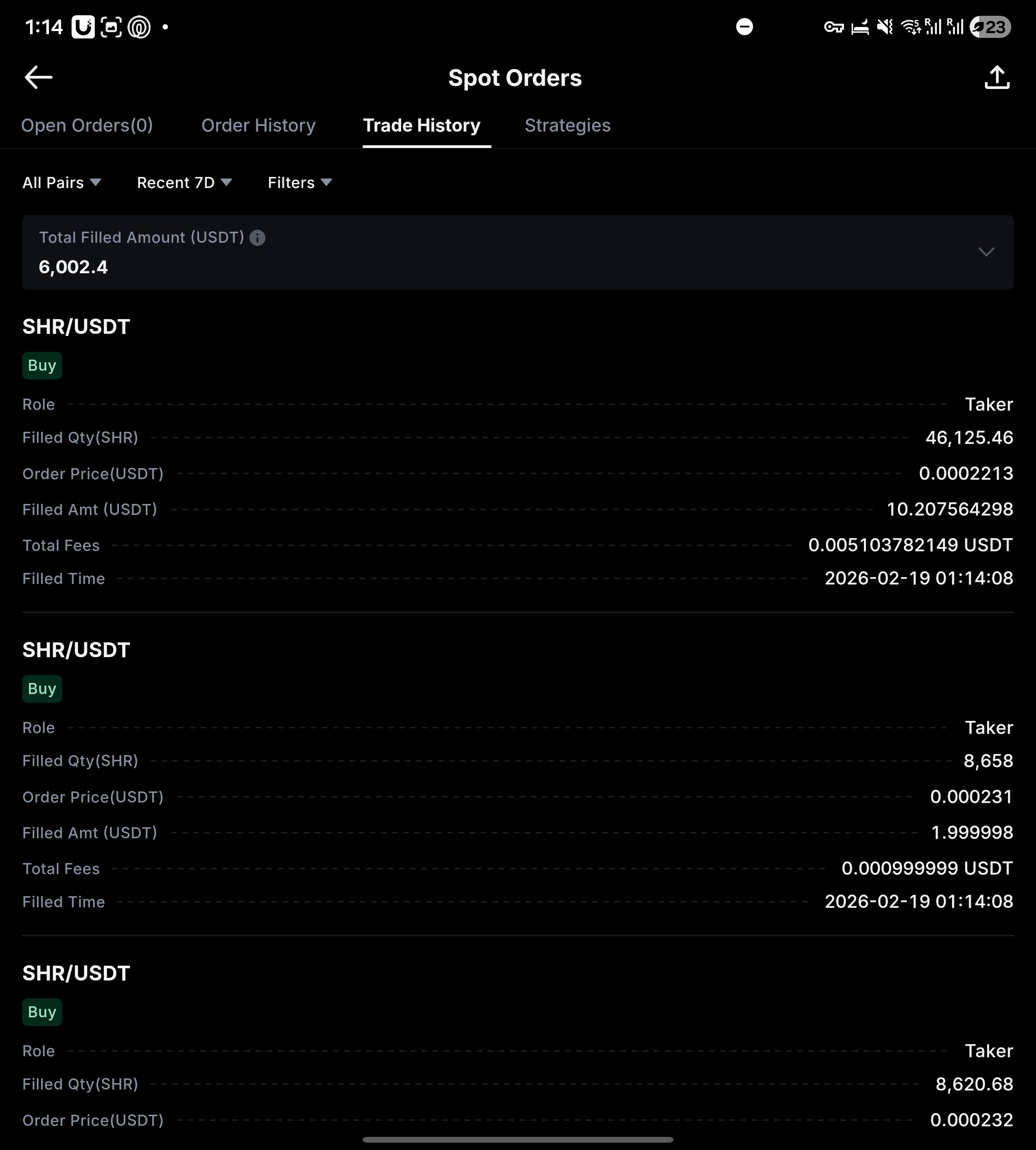
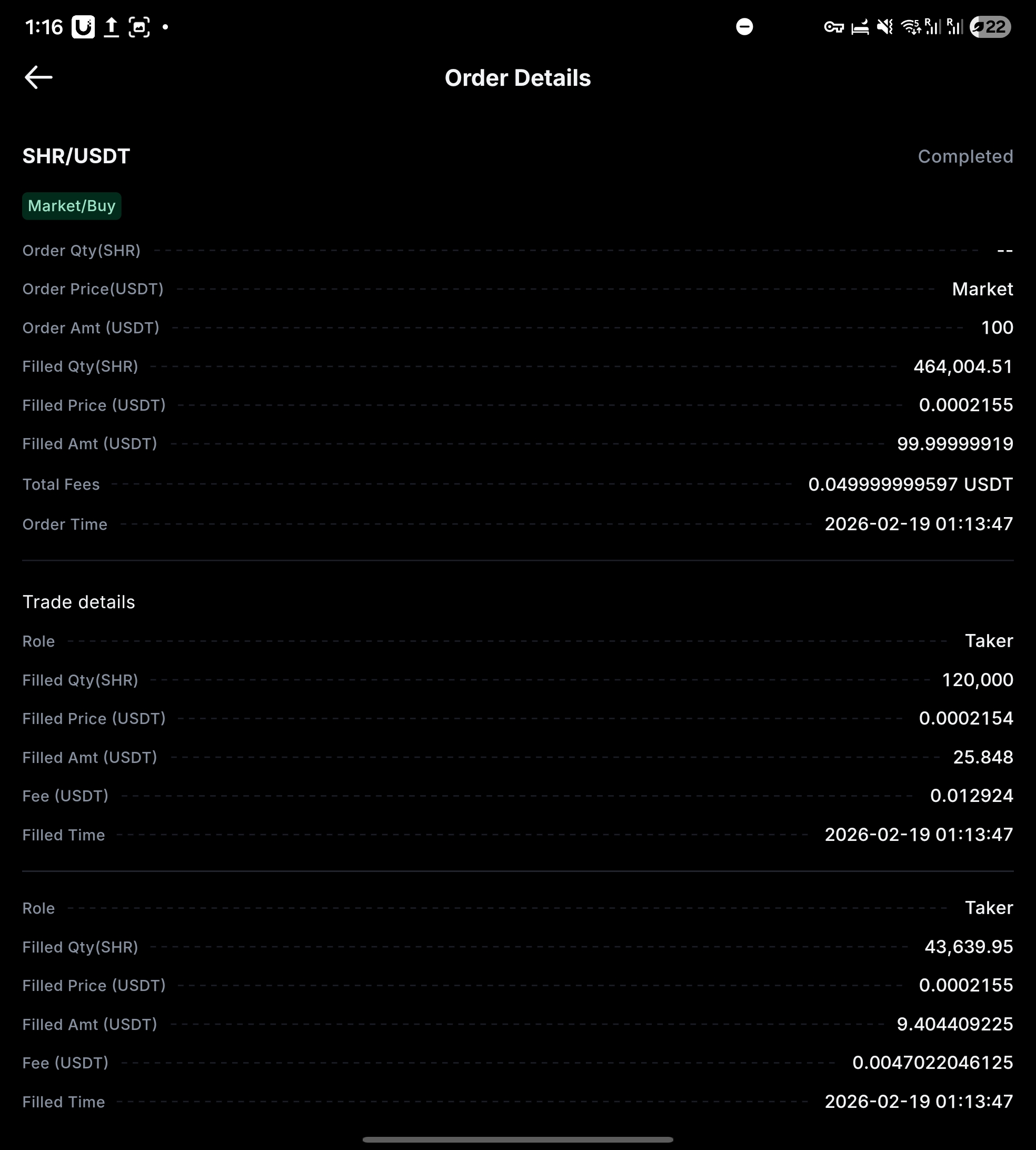
Take a screenshot of your SHR buy order
Your screenshot must clearly show:
- The order type is a Buy order
- The trading pair includes SHR
- The order amount is at least $5 USD equivalent
- The order date/timestamp falls within the campaign period (10–27 Feb 2026)
Upload the screenshot to Zealy
Open the MEXC SHR Purchase Proof quest on Zealy and upload your screenshot. Our team will review it and approve the quest within 24–48 hours.
4. MEXC Balance Checks
You may be asked to prove you're still holding SHR on MEXC at certain points during the campaign. Here's how to provide that proof.
Go to your MEXC portfolio / assets page
In the MEXC app, tap "Assets" at the bottom of the screen. On the website, click "Assets → Spot Account". Find SHR in your holdings list.
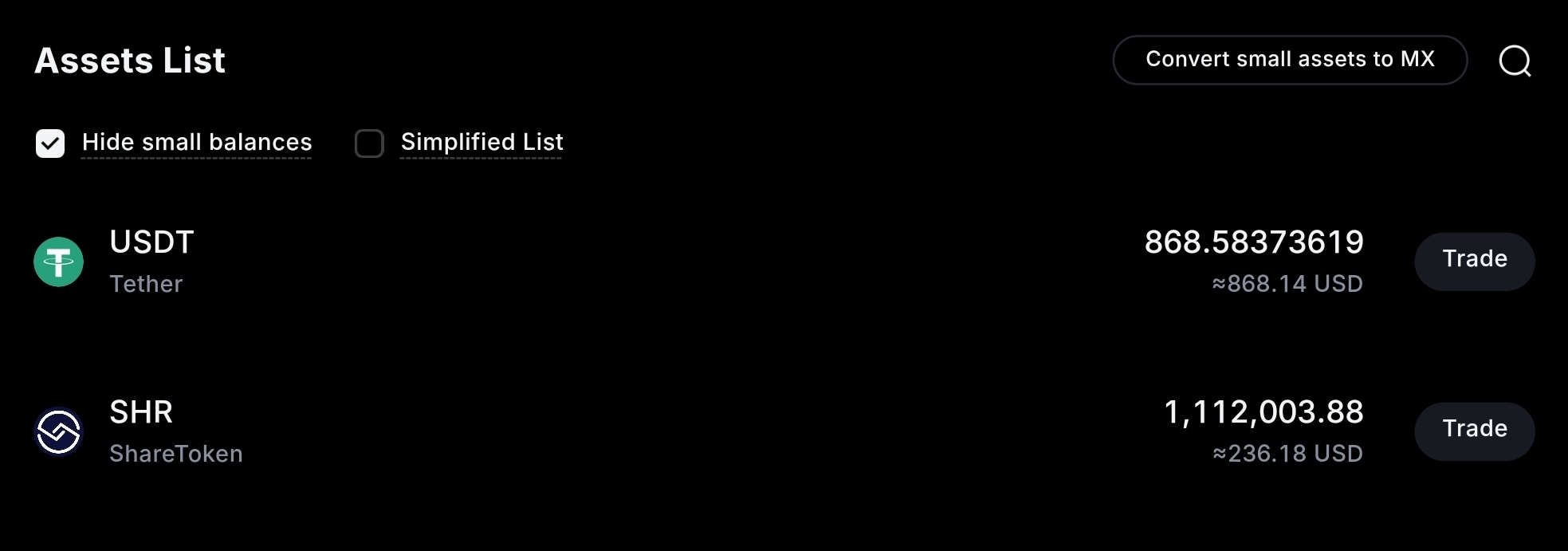
Take a screenshot showing your balance
Make sure the screenshot clearly shows:
- Your SHR balance (must be $5 USD+ minimum, or $10 USD+ for the MEXC Holder Bonus)
- The current date visible on screen (check your phone's status bar or the MEXC app header)
Upload to the relevant Zealy quest
Upload your balance screenshot to either the MEXC Balance Check quest (for the standard $5 minimum) or the MEXC Holder Bonus quest (for $10+ holders seeking additional rewards).
5. Staking Verification
Once you've withdrawn SHR to your ShareRing Me wallet, bridged to SLP3, and staked on MexCnode1 or MexCnode2, you can verify your staking directly on Zealy.
Complete the withdrawal, bridge, and staking steps
Use the MEXC Campaign module inside ShareRing Me to automate these steps. The module guides you through withdrawing SHR from MEXC, bridging from ERC-20/BEP-20 to SLP3, and staking on a MexCnode validator.
Claim the "Verify Staking" quest on Zealy
Open the Verify Staking on MexCnode quest on Zealy and click "Claim". The system will automatically check the ShareLedger blockchain to confirm your stake.
If verification succeeds, the quest completes immediately. If it fails, make sure you've staked on MexCnode1 or MexCnode2 (not another validator) and try again after 5 minutes.
6. Invite Friends (Referrals)
Earn extra XP by inviting friends to join the campaign. More XP means a bigger share of the $5,000 Social Quest Pool.
Find your referral link on Zealy
On the Zealy campaign page, look for the "Invite Friends" quest in the Referrals category, or find your unique invite link in the Zealy sidebar/menu. Your link will look something like:
https://zealy.io/cw/sharering/invite/yourcode
Share it with friends
Send your referral link to friends who might be interested in the campaign. They need to sign up for Zealy using your link and complete at least one quest for the referral to count.
Track your referrals
You can see how many people have joined through your link on the Zealy Invite quest page. Once you hit 3 referrals, the quest will automatically complete and you'll earn your XP.